Rock Mobile App
An invitation to connect, before creating an account.
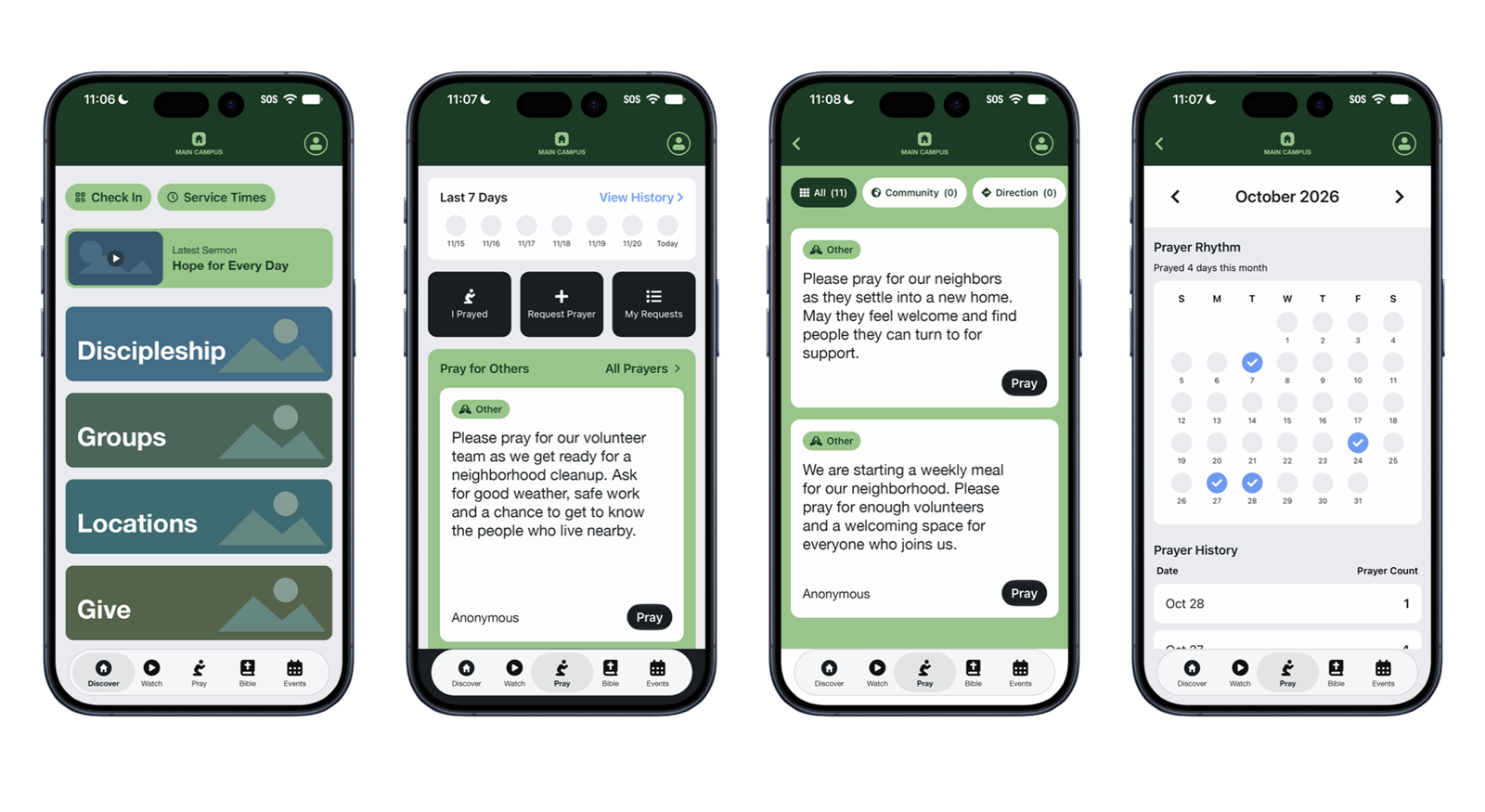
I designed and developed a church app experience in Rock Mobile that lets people explore before sharing personal information. Campus selection gives the app a local context, while messages and prayer offer ways to participate throughout the week.
The challenge was making a multi-campus app feel relevant without relying on a login to tell us who someone was or where they attended. Identifying details in the screenshots have been replaced for privacy.
Project Overview
Problem
Requiring a login adds a barrier before someone can explore. Without an account, though, a multi-campus app needs another way to determine which campus content to show.
Goal
Welcome people into the app, make their campus context clear, and provide simple ways to watch messages and develop a prayer habit.
Role
I contributed UX recommendations, interface design, and Rock Mobile development, including campus selection, visible location feedback, and the prayer experience.
Audience
People exploring the church for the first time and members connecting with their campus, watching messages, and praying for others.
A Local Experience Without a Login
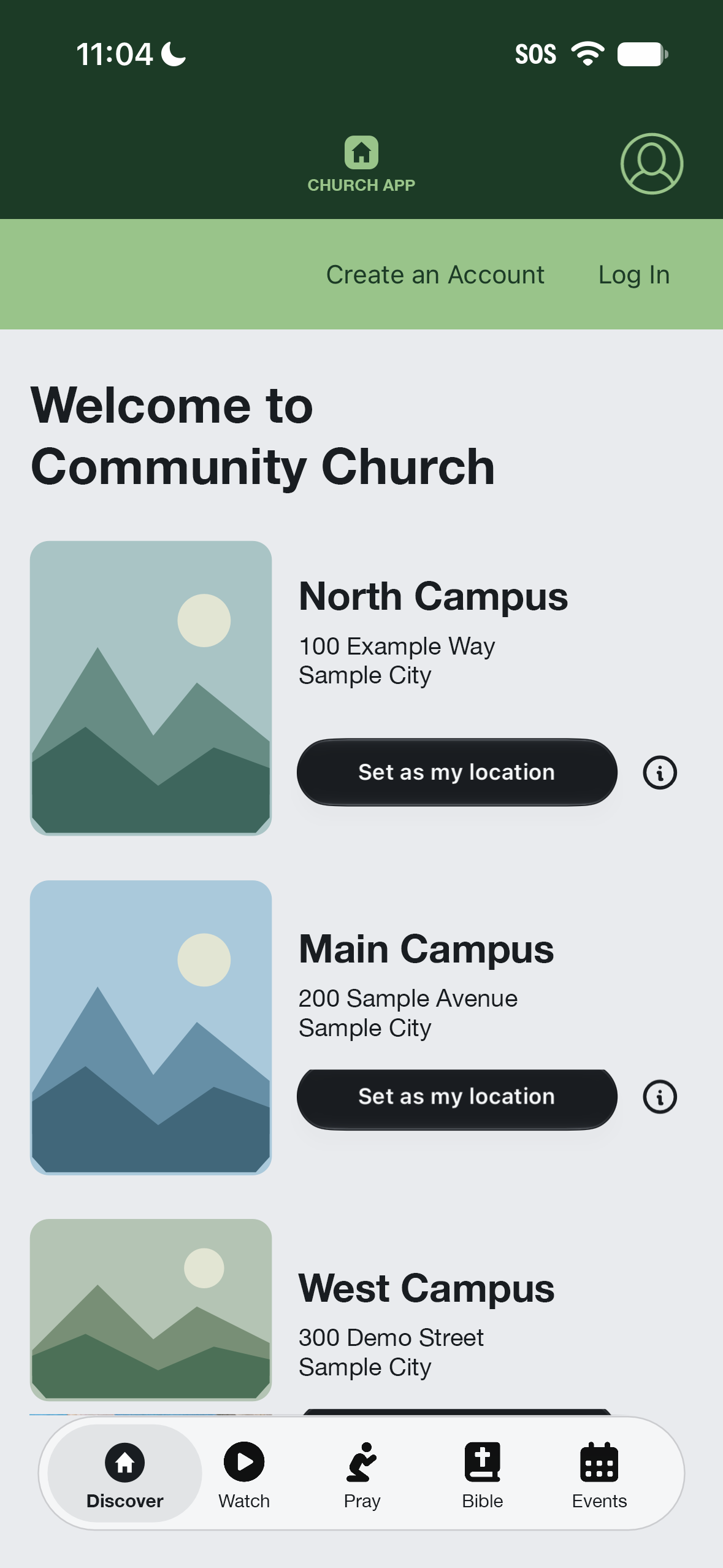
Access without a login invites people in before asking them to share information. To make that work across multiple campuses, I created a landing page where visitors can browse locations, explore campus information, and choose their location.
The selection is stored in App Cache, giving the app a campus preference without requiring an account. For someone who is logged in, the campus is set to their primary campus.
Make the current campus visible
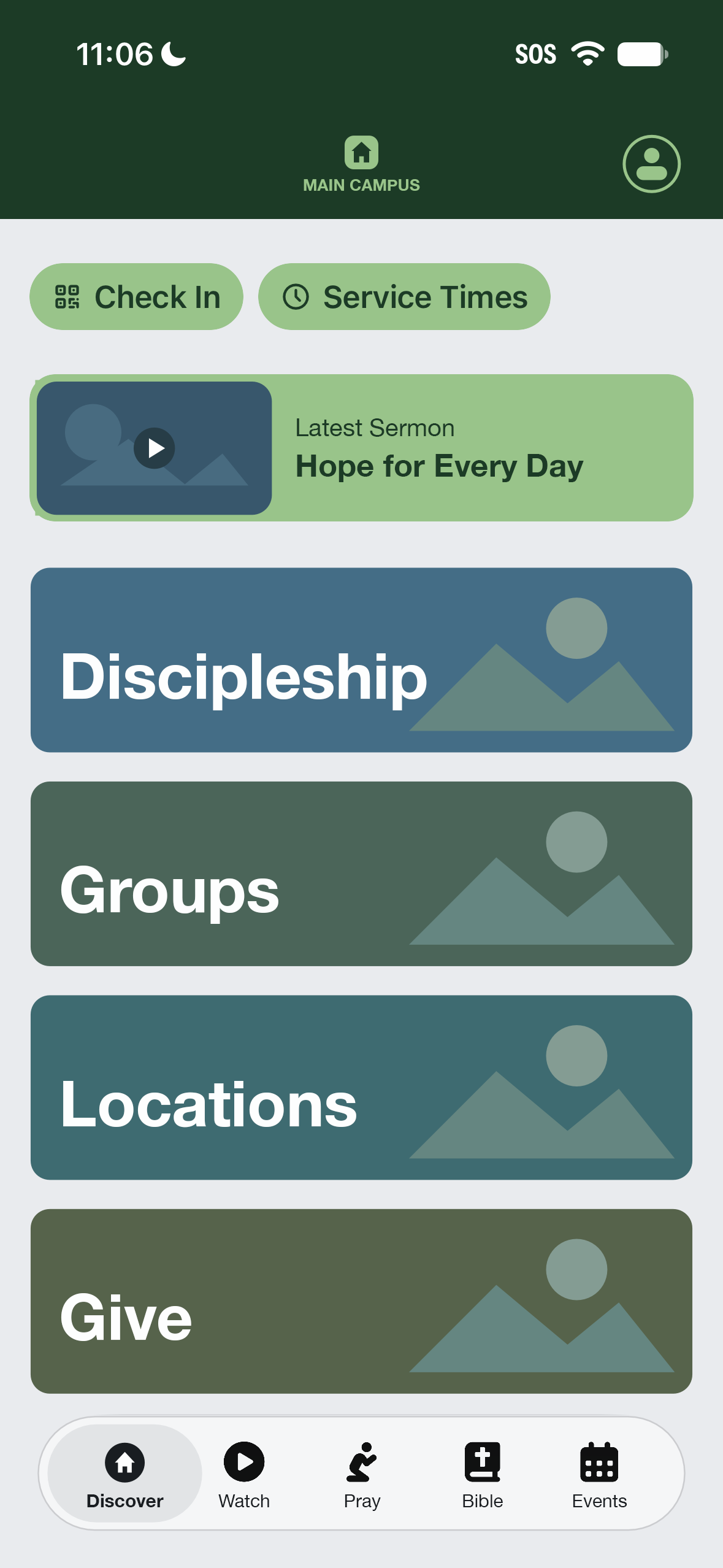
The logo in the header updates to include the campus name. That feedback helps people understand which campus experience they are viewing as they move through the app.
Locations remains available from Discover so people can return and change their selection.
Messages Across Campuses
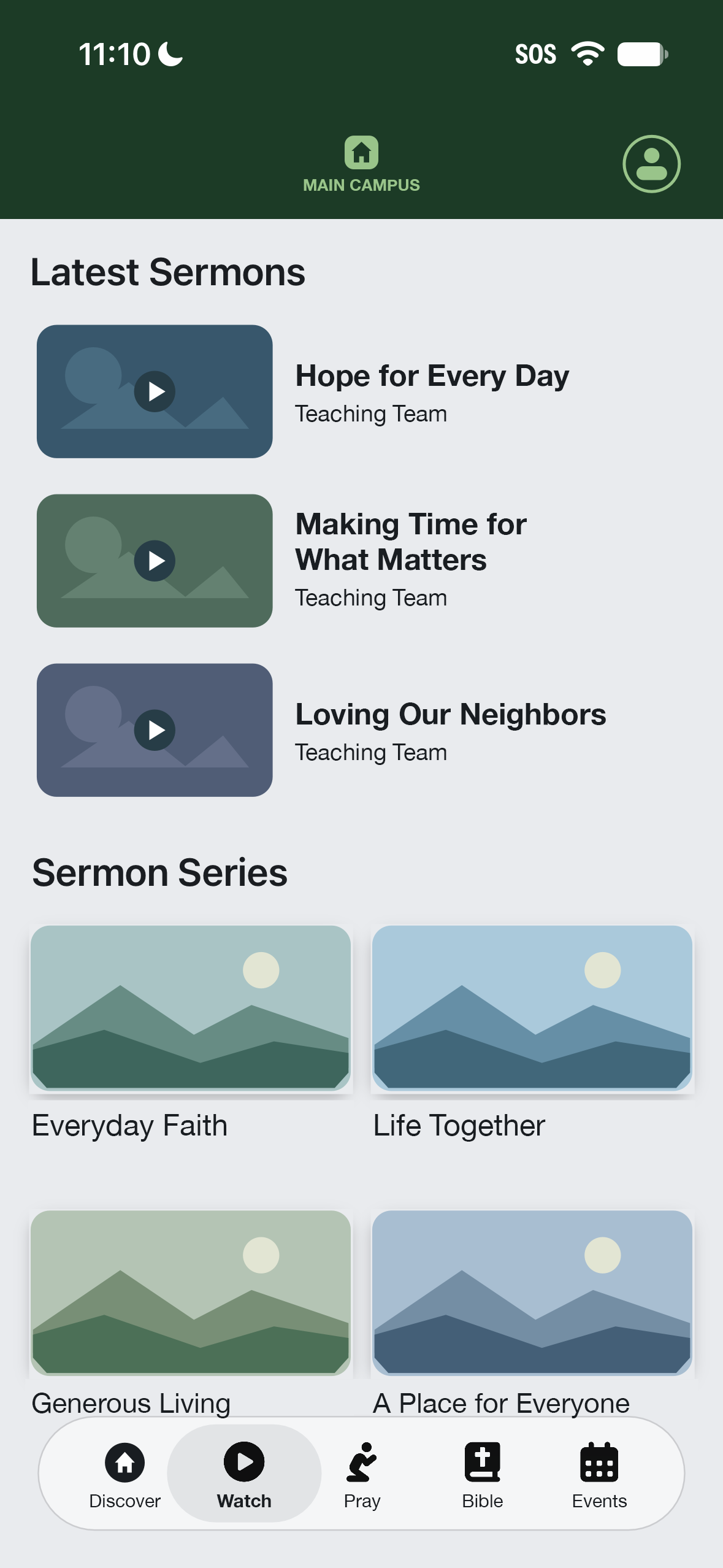
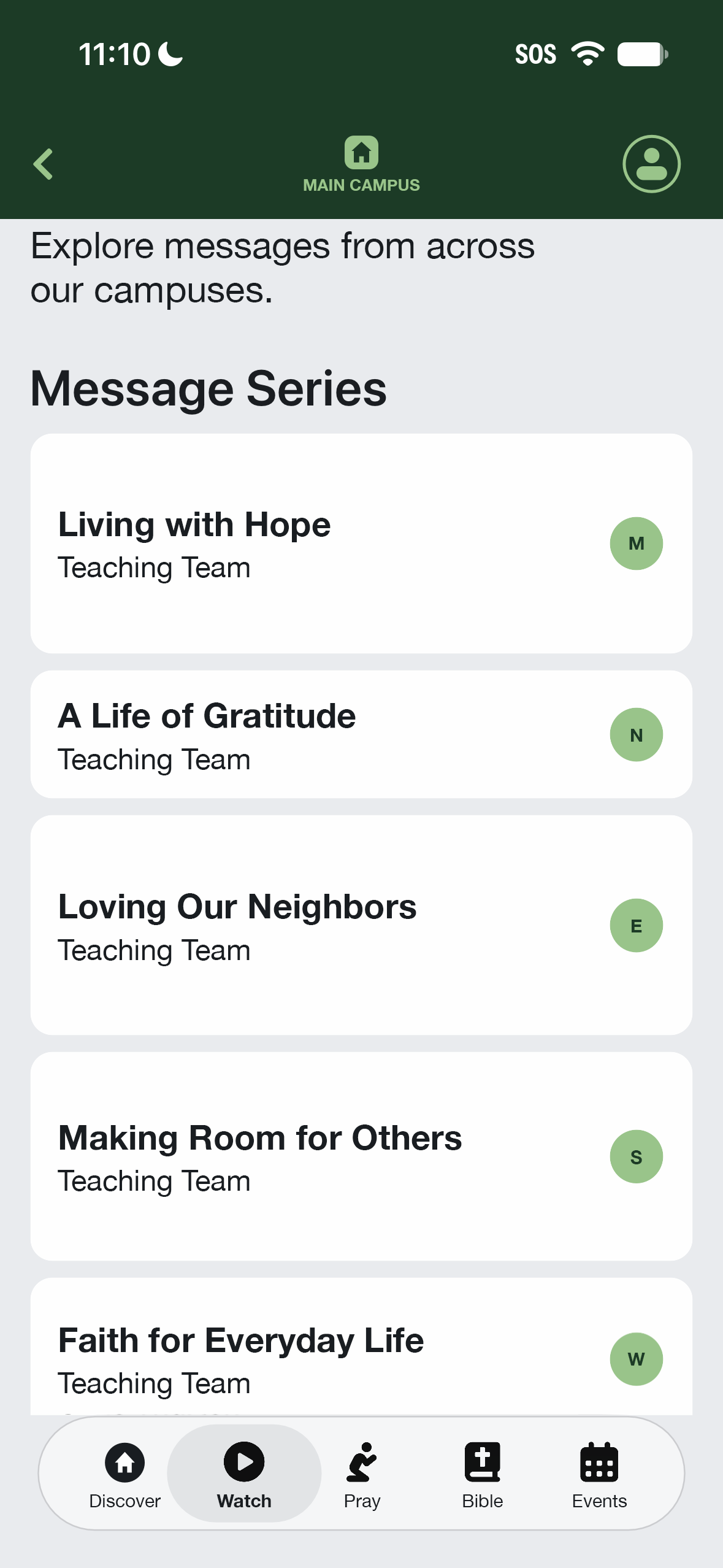
A selected campus gives the app context, but people can still explore messages from other locations. The Watch experience brings recent sermons and message series together.
Within message series, campus initials identify where the messages are from. People can browse across campuses while keeping that distinction visible.
Supporting a Prayer Habit
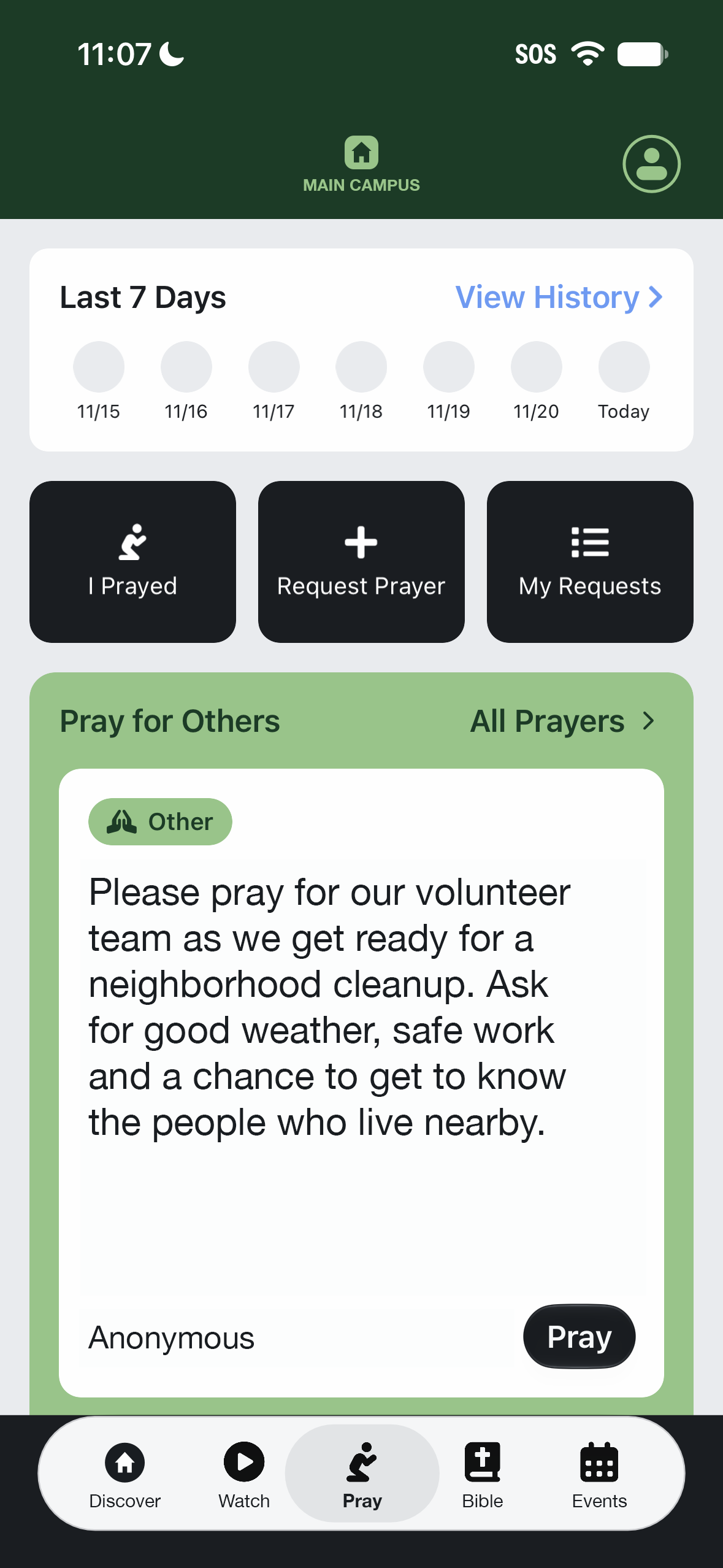
The Pray page makes it easy to record a moment of prayer, whether someone prays for themselves, prays generally, or responds to another person’s request.
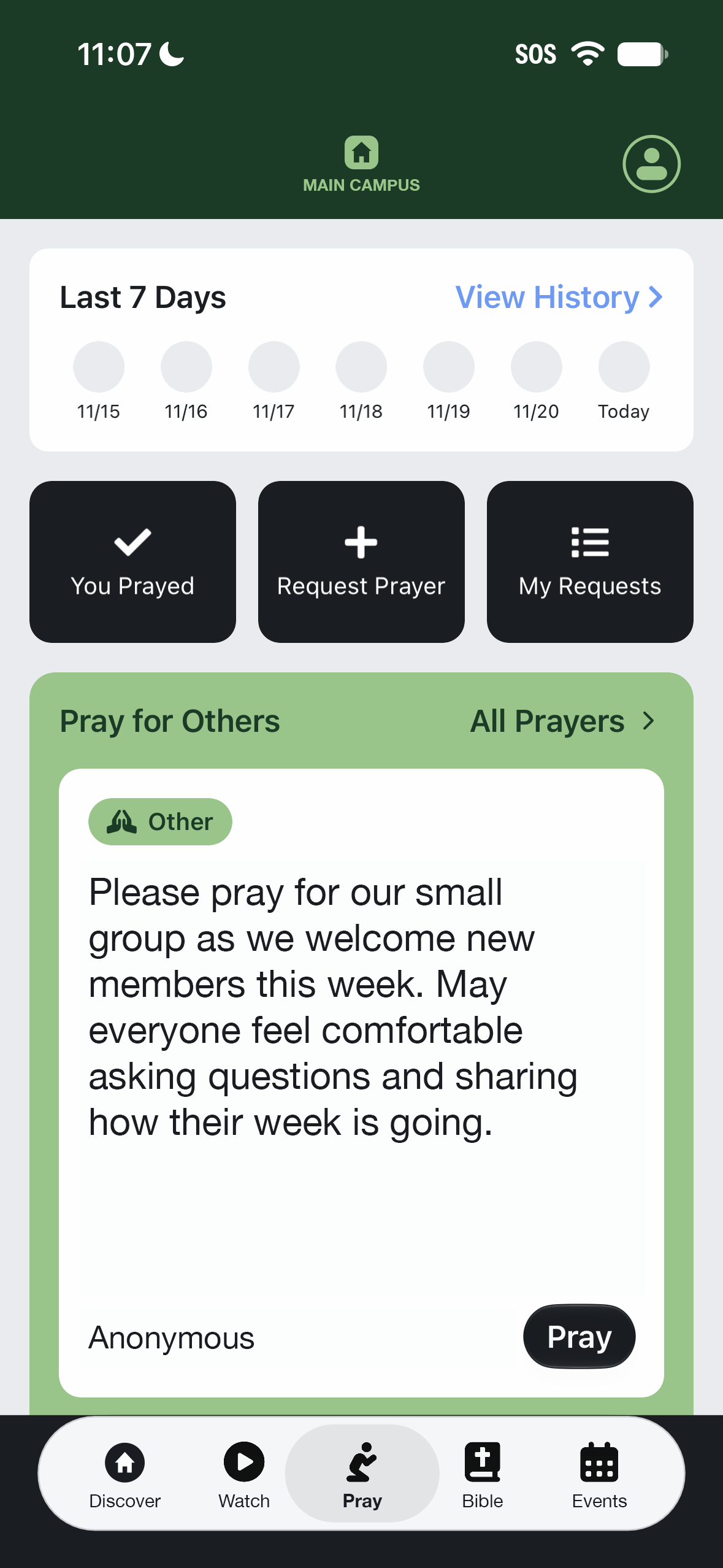
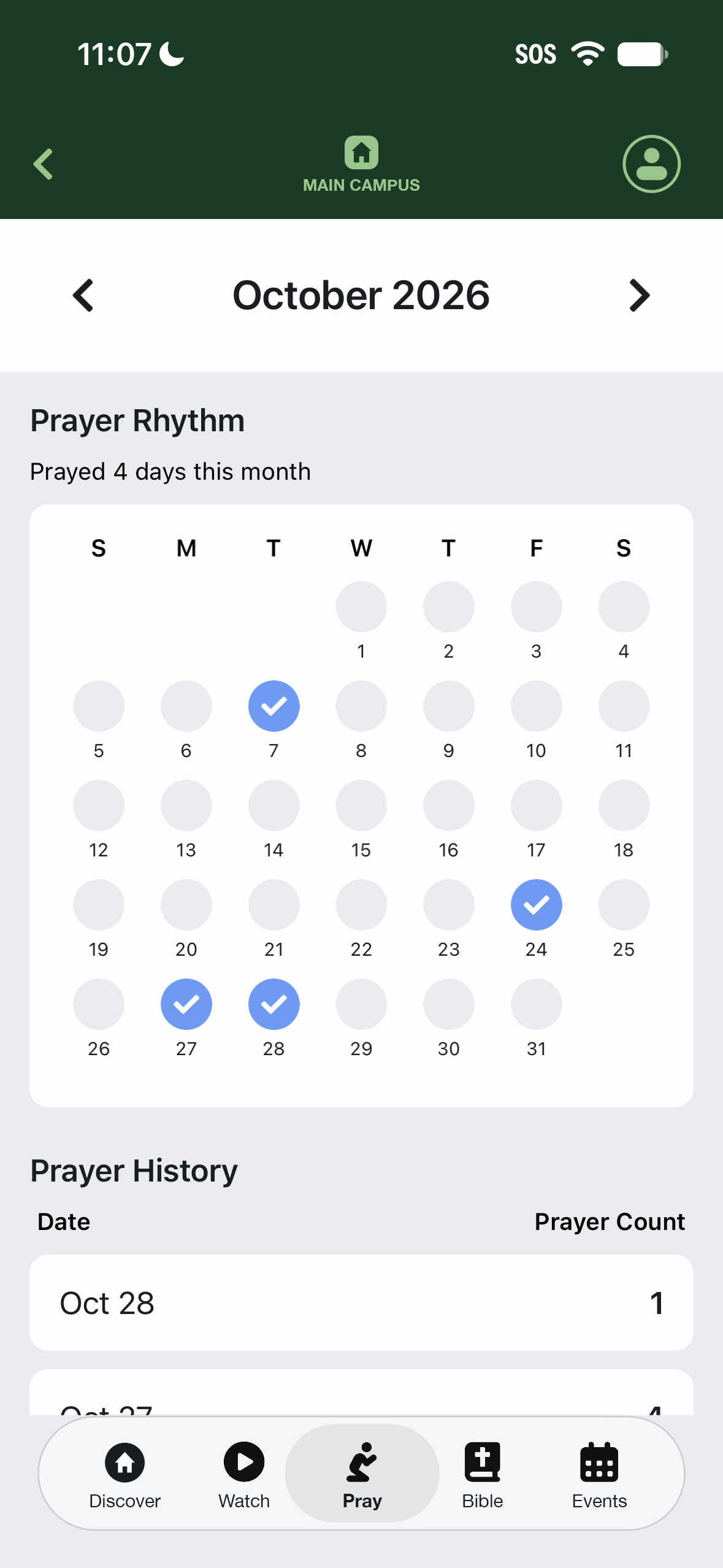
Selecting I Prayed changes the action to You Prayed with a checkmark, providing immediate confirmation. A seven-day overview and a fuller prayer history make that participation visible over time.
The history view pairs a monthly calendar with daily prayer counts, giving people a way to look back at their prayer rhythm.
A Simple Way to Pray for Others
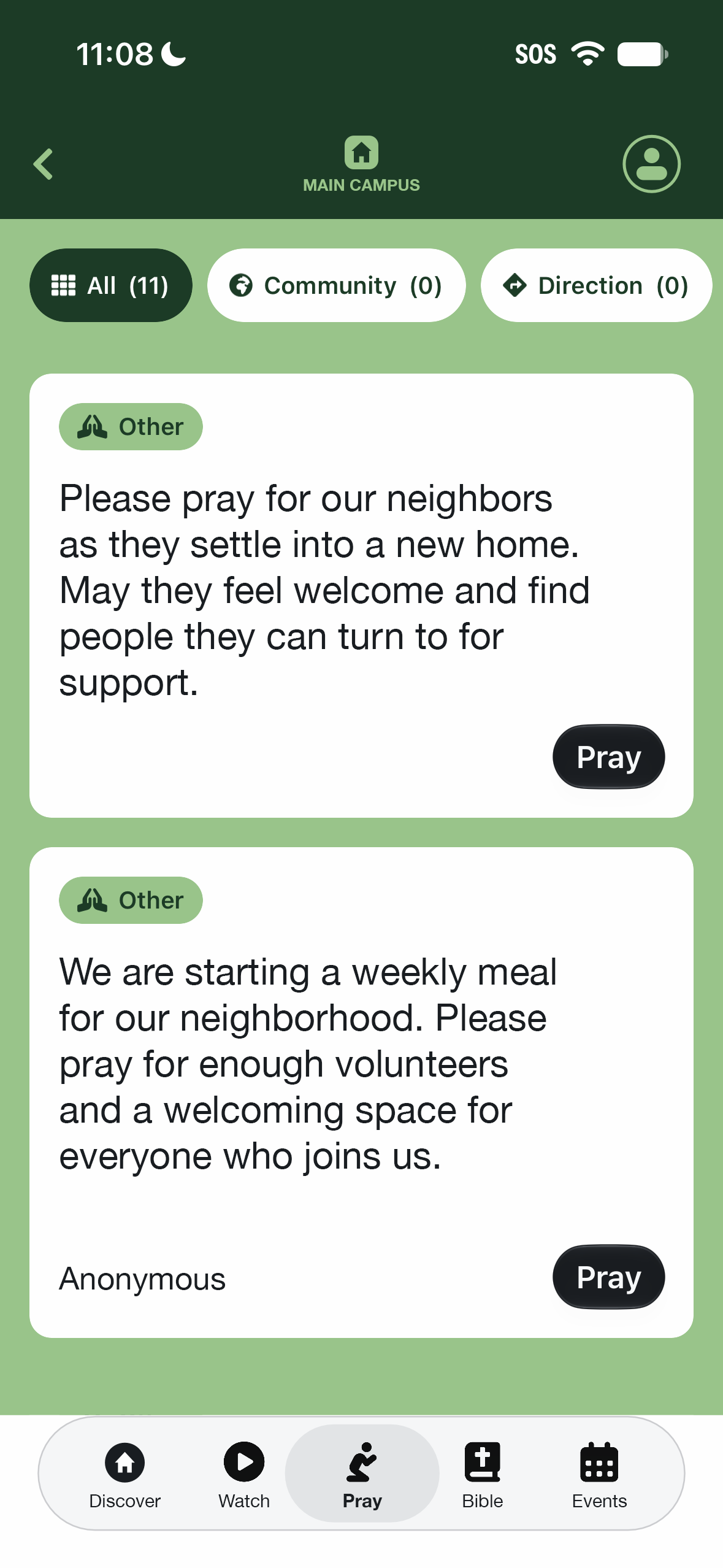
The Pray page includes a short, randomly selected preview of prayer requests. People can respond directly to a request or open All Prayers to browse the full prayer wall.
Category filters sit at the top of the full list. I recommend a smaller set than the out-of-the-box categories to reduce choice overload and make the filters easier to scan:
Community, Direction, Faith, Healing, Relationships, Resources, Safety, and Other.
Names depend on sign-in
A requester’s first name is shown only to people who are logged in. This keeps personal details limited while still allowing visitors to engage with the prayer experience.
Designing for an Open Door
This experience connects a welcoming first visit with reasons to return: a remembered campus, clear location feedback, messages from across the church, and simple prayer actions with a visible history. Each decision supports participation without making an account the first step.