Plan a Visit
Removing barriers for new families.
I redesigned a church’s new guest experience by personalizing campus pages, simplifying visit registration, automating timely communications, and connecting families with ministry support.
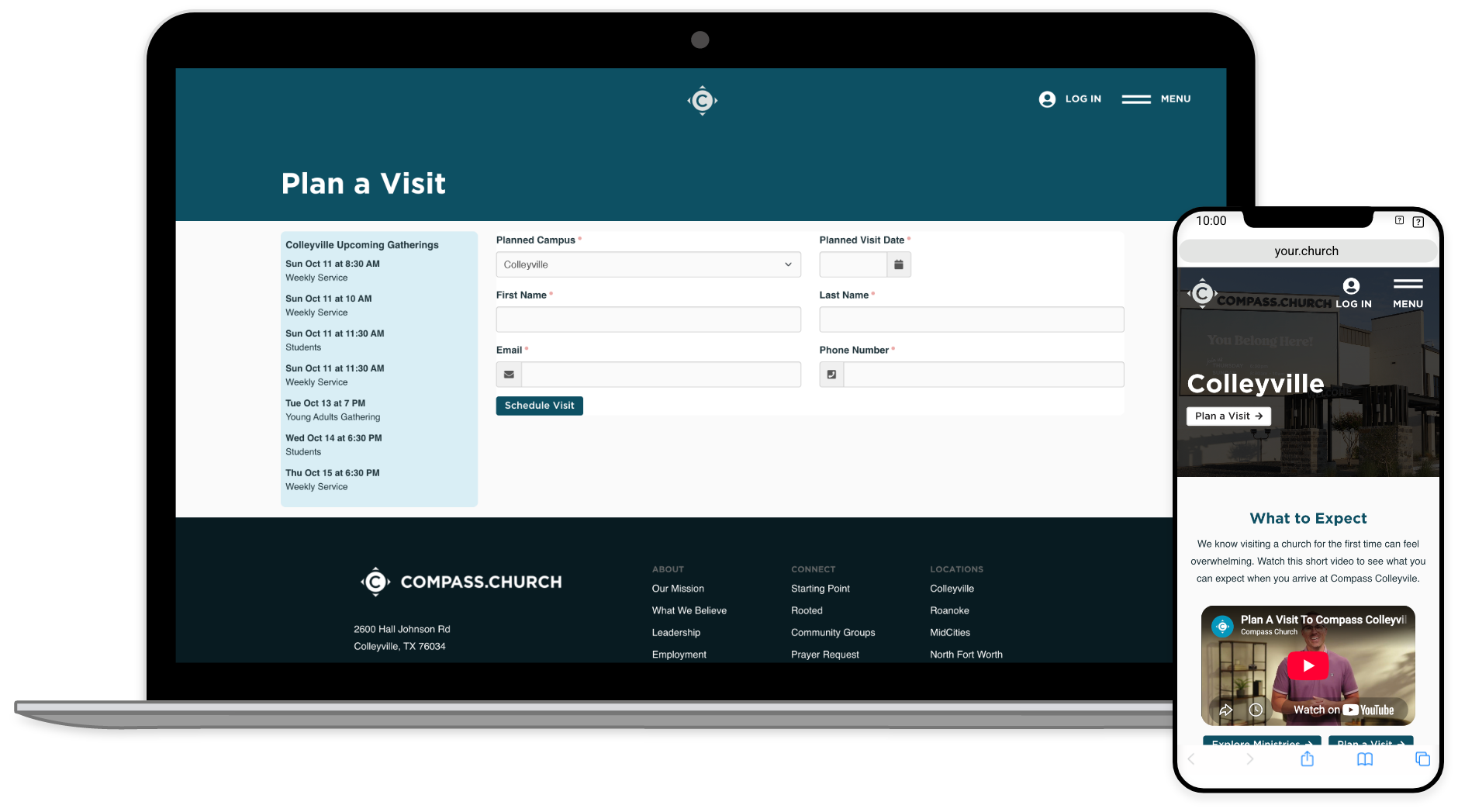
Project Overview
Problem
The church wanted to improve how it welcomed new guests. Its existing family registration form asked for detailed personal information before visitors had established a relationship with the church, and planning a visit needed to connect more clearly with what happened next.
Goal
Make it easier to decide to attend, plan a visit, and arrive prepared, while giving church teams the information they needed to welcome and support each family.
Role
I handled experience discovery, UX strategy, page design and development, Rock workflows, data views, and communication automation.
Audience
First-time guests exploring the church, families preparing for children’s check-in, and ministry teams coordinating support before a visit.
Process Highlights
01. Start with the Guest
Improving the welcome meant looking beyond registration to understand what someone needed before deciding to attend. A first-time guest and an existing church member don’t necessarily need the same information.
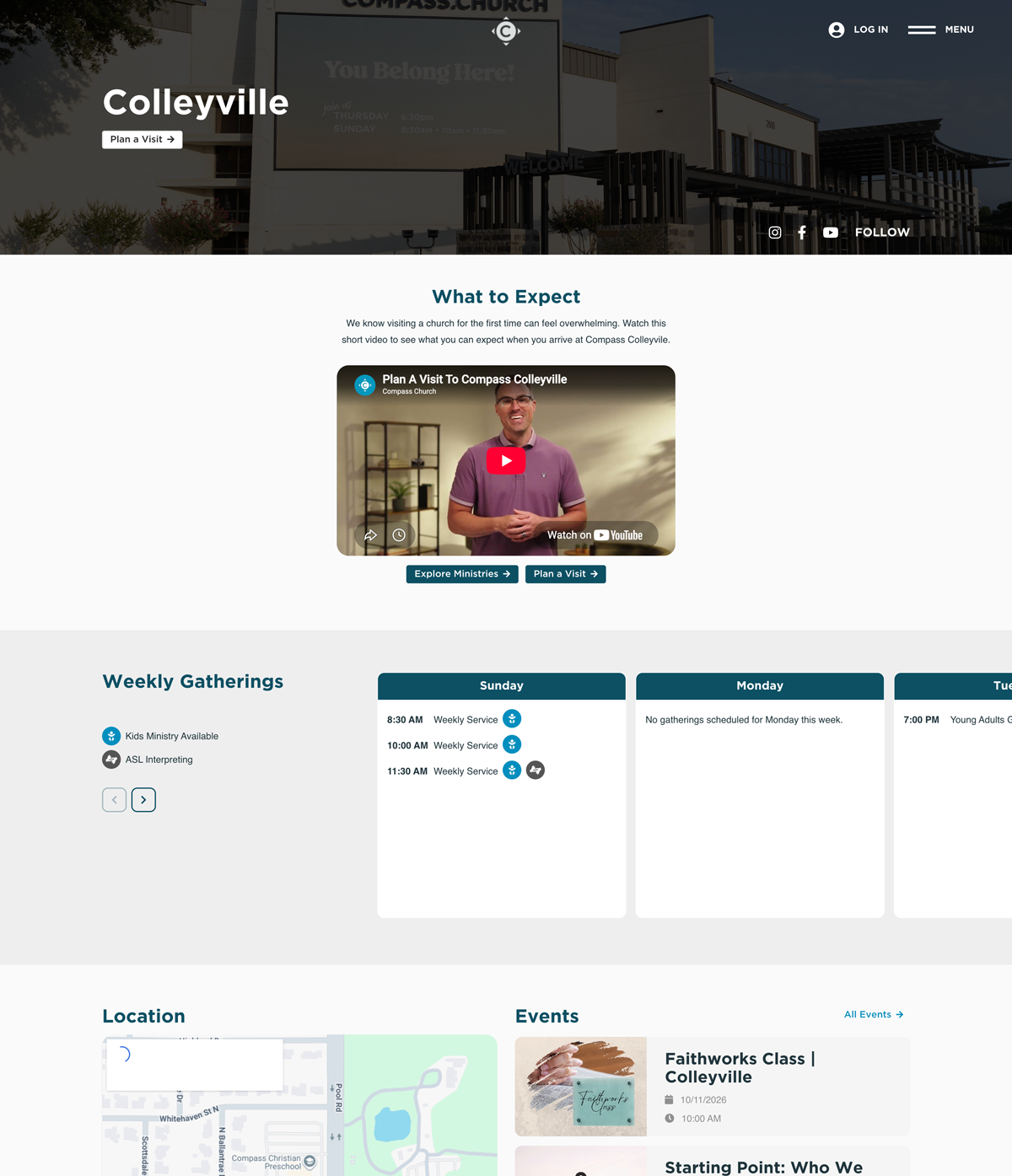
I developed campus pages with a personalized experience based on whether someone was logged in. Guests who weren’t logged in could see a Plan a Visit option and a What to Expect video.
Together, those elements gave visitors a way to picture their first visit and take the next step from the campus page.
02. Ask for Less, Accomplish More
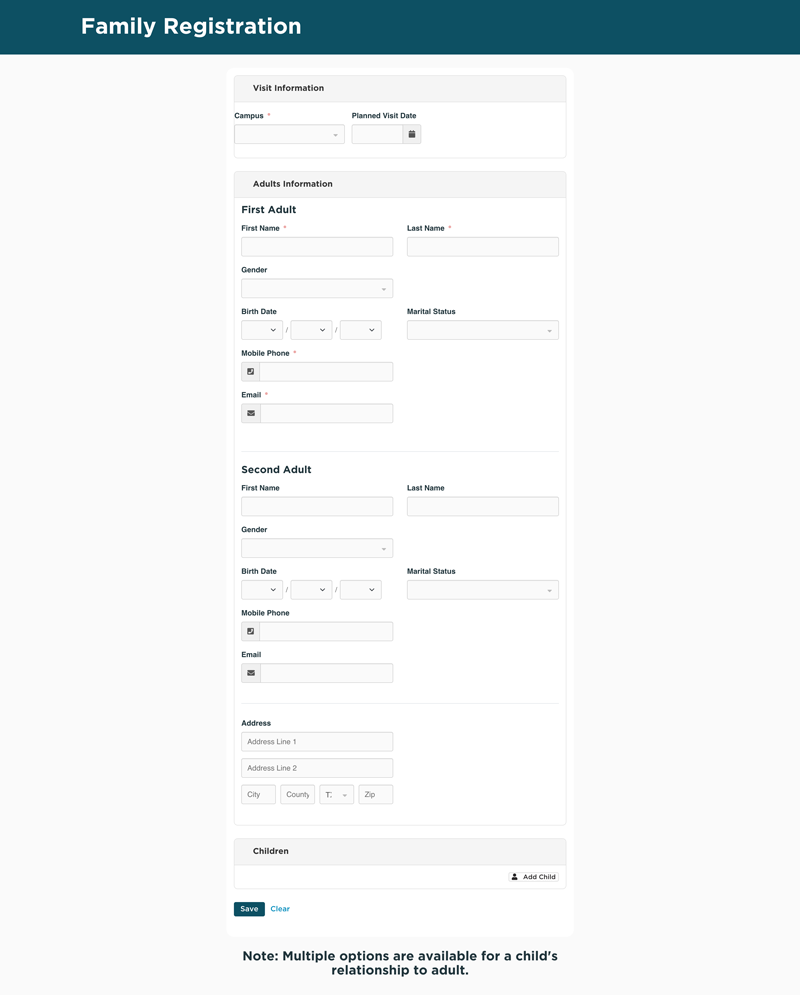
The traditional registration form requested an address, birthdate, gender, and other personal information. That information could be useful later, but it didn’t need to be collected during the first interaction.
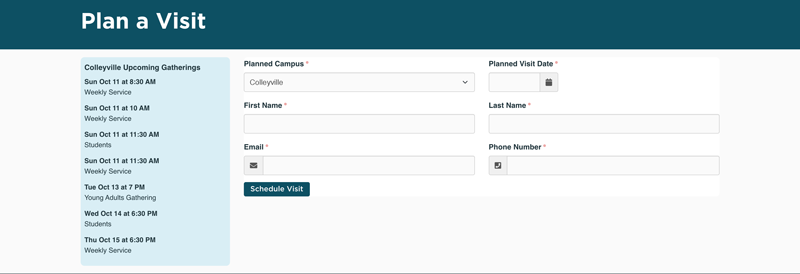
I created a workflow form requesting only what was needed to plan a visit: name, planned visit date, campus, email, and phone number. I also integrated upcoming campus gatherings so guests could reference actual service times while planning.
Full family registration remained available as a later step, giving visitors a simpler way to get started.
Before: Full Family Registration
After: Plan a Visit
03. Turn a Submission into a Welcome
Submitting a form shouldn’t leave someone wondering what happens next. The church also needed to handle both people already in its database and guests visiting for the first time.
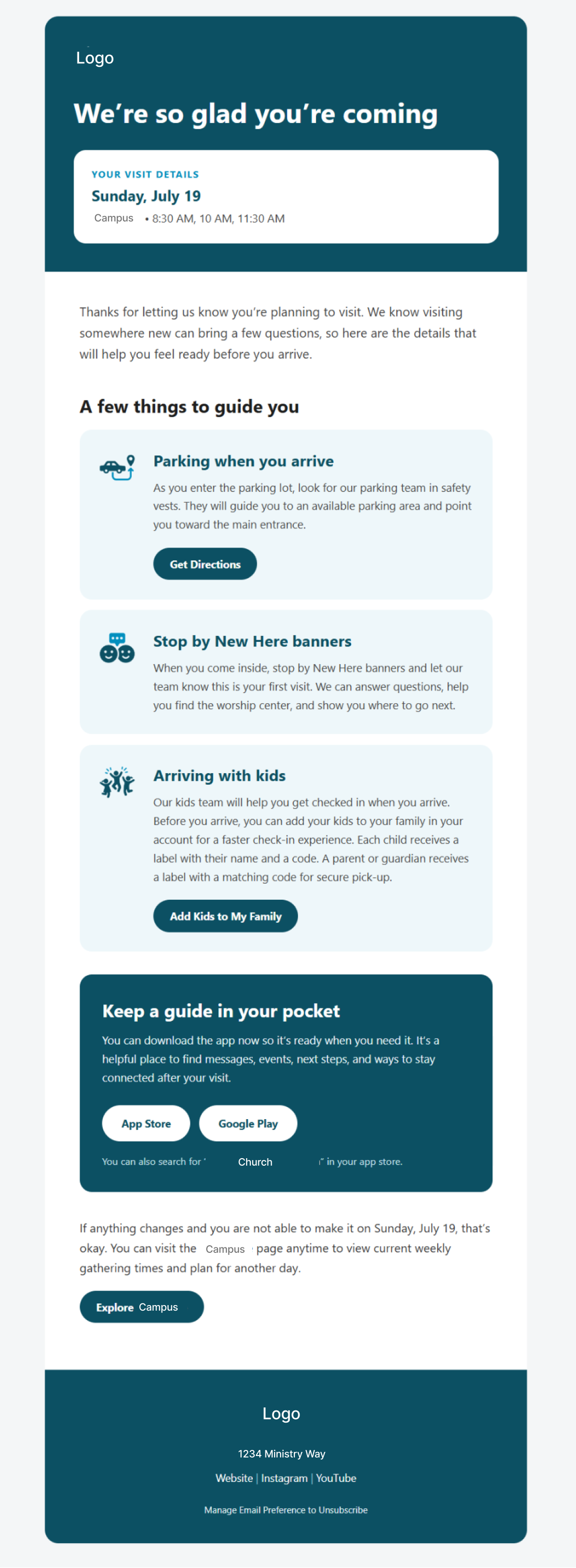
I developed a Rock workflow that searched for an existing person record and created one when necessary. It recorded the planned visit and sent a confirmation email with practical details about parking, where to go, and what to expect.
The confirmation included a link to the visitor’s account to add children before attending. Families didn’t have to register their children just to plan a visit, but they could complete that step when ready.
04. Follow Up at the Right Time
A confirmation is useful when a guest plans their visit, but parking and children’s check-in details become especially relevant just before Sunday.
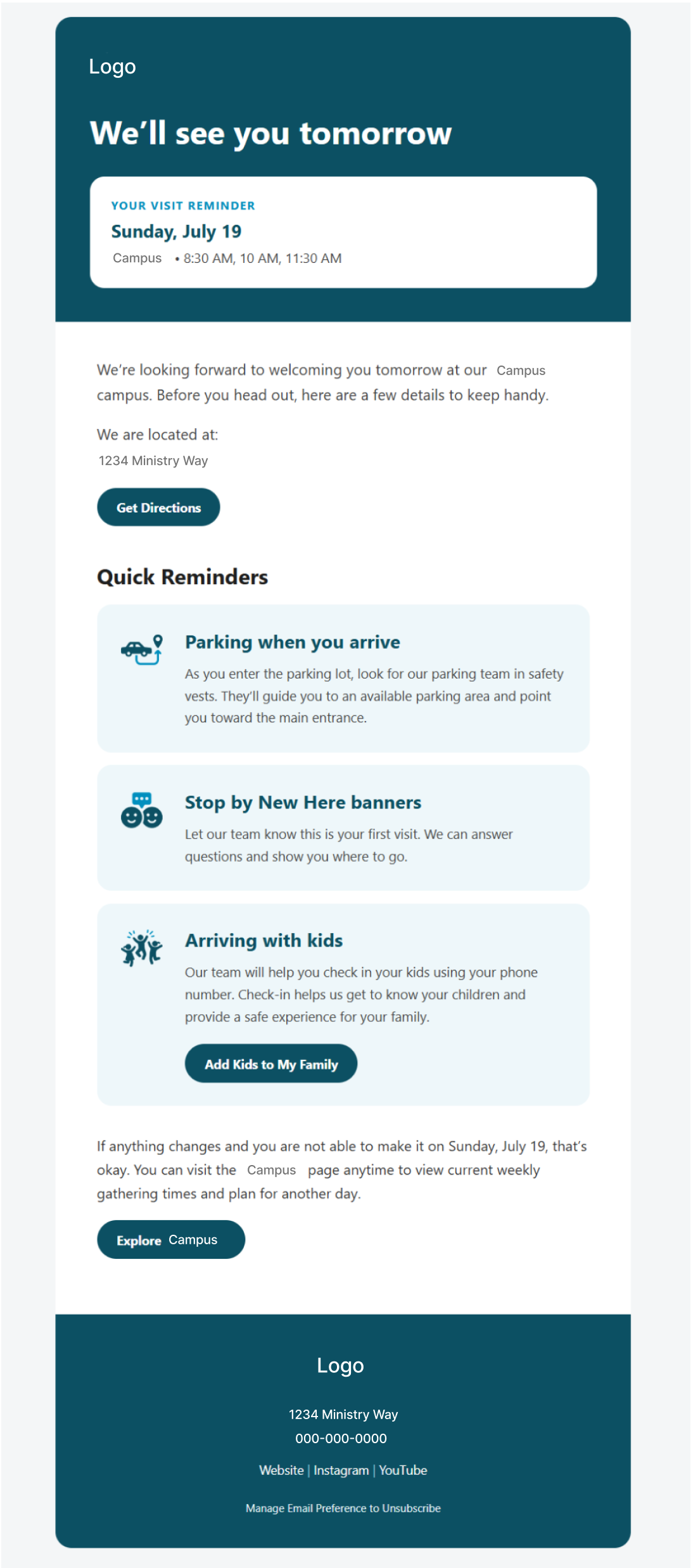
I connected a planned-visit person attribute, data view, and scheduled job to identify upcoming visits and send a reminder email the night before.
The reminder process accounts for guests who planned more than 24 hours in advance, rather than treating a last-minute visitor the same as someone who registered several days earlier.
05. Make Room for Additional Support
While reviewing the church’s existing processes, I discovered that full family registration already included a workflow for children with special needs. I connected that capability to the broader guest experience.
I created a data view to identify newly registered children with special needs and used a scheduled job and workflow to create a connection request for the household.
That request gave the special-needs ministry an opportunity to connect with the family and prepare for their visit.