Emergency Web Alerts
Redesigned in 2022 for Sam Houston State University, the Emergency Web Alert is a website component designed to deliver timely and accurate emergency notifications to the university community.
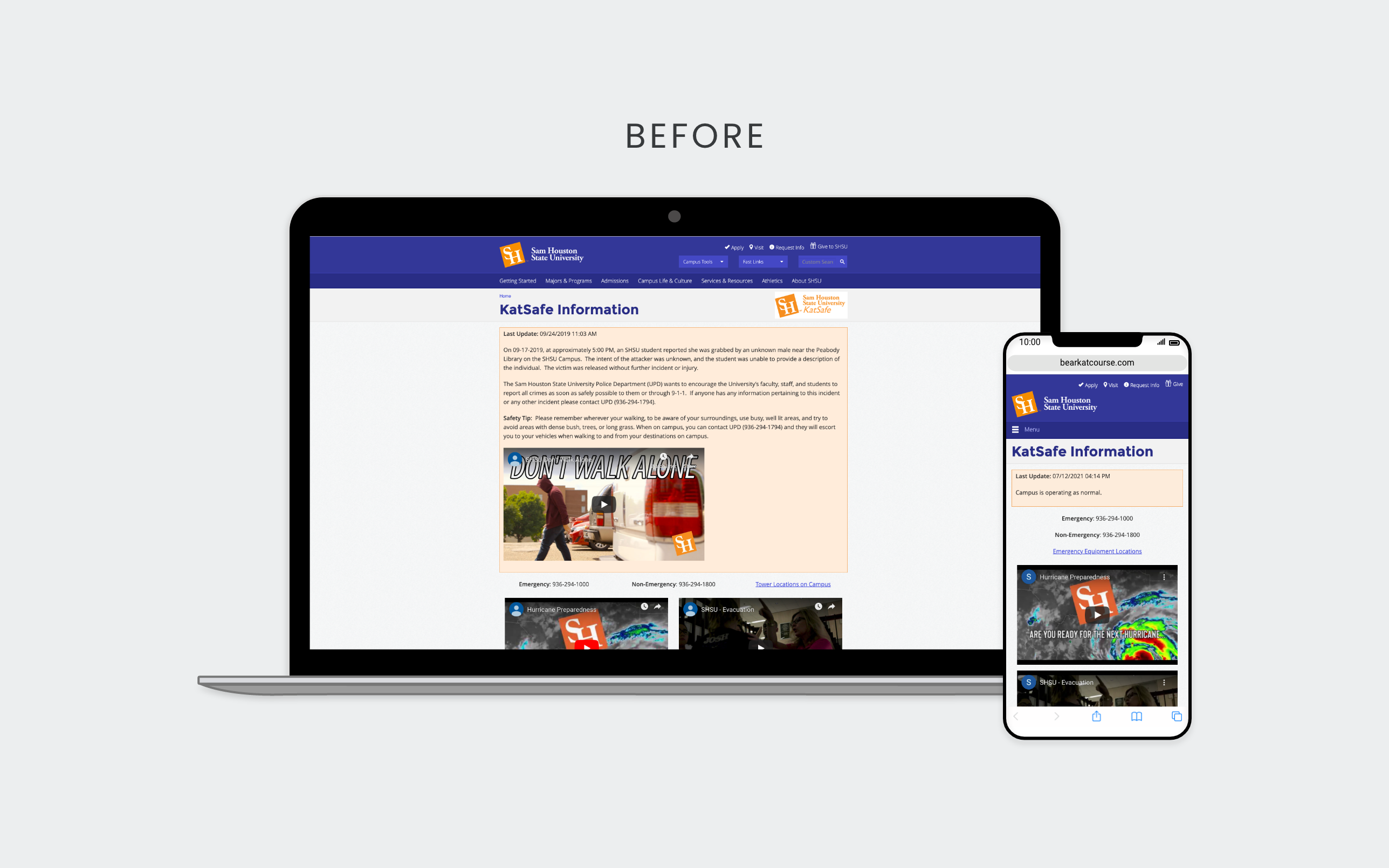
Project Overview
Problem
The previous emergency web alerts required developer support for updates and maintenance, which was time-consuming and demanded specific technical skills. This reliance led to delays and increased communication overhead. People were also losing trust in the alerts, often becoming desensitized to them, undermining the emergency management program’s effectiveness during actual emergencies.
Goal
Increase efficiency, restore trust, and mitigate the risk of compliance infringement.
Role
As UX Developer, I led the service and front-end design with subject matter experts and the communication professionals who published alerts. Together, we clarified alert levels and categories; I reduced the type selection from ten to six and designed a more structured publishing workflow.
I handed the design and workflow specifications to another developer for implementation. The features shown here reflect that handoff.
Audience
Enrolled students, faculty, and staff at Sam Houston State University, as well as local community members and campus visitors.
Publishing Workflow Specifications
These requirements were part of my handoff to the implementing developer. They were intended to reduce manual publishing work, keep urgent information current, and support accessible, consistent alerts.
Stackable
I specified separate, stackable notices so publishers could communicate multiple alerts clearly. The old design’s single bounding box made it difficult to distinguish alert types, especially during Hurricane Harvey, when dining and housing updates appeared alongside weather information. Separate notices help users find relevant information without mixing timely warnings with other updates.
Expiration
I specified automatic unpublishing at a set expiration time. Previously, someone had to remember to remove each alert, leaving notifications up too long and contributing to desensitization. Automatic expiration is especially useful for weather watches and timely warnings, keeping information current while saving the communication and public safety teams time.
Form Entry
I specified a structured form to replace the blank WYSIWYG editor and improve publishing consistency and efficiency. The previous editor allowed inconsistent formatting, accessibility errors, and layouts that did not respond well to different screen sizes, while requiring more time to publish.
Automated Banner
I specified a CMS component to automatically display banners on every page during events. The goal was consistent notices without manual developer updates and a publishing process that could operate when developers were unavailable.
Responsive Images
The design allowed publishers to include up to three images that adapt to screen size, addressing the previous WYSIWYG editor’s lack of responsive customization.
Record Retention
I specified a CMS dashboard with a readily available history of postings. Previously, the communication and public safety teams took screenshots of each posting during emergencies for Clery Act recordkeeping. The proposed workflow included a CSV export with posting times, reducing reliance on manual screenshots.
Design
Alert Levels
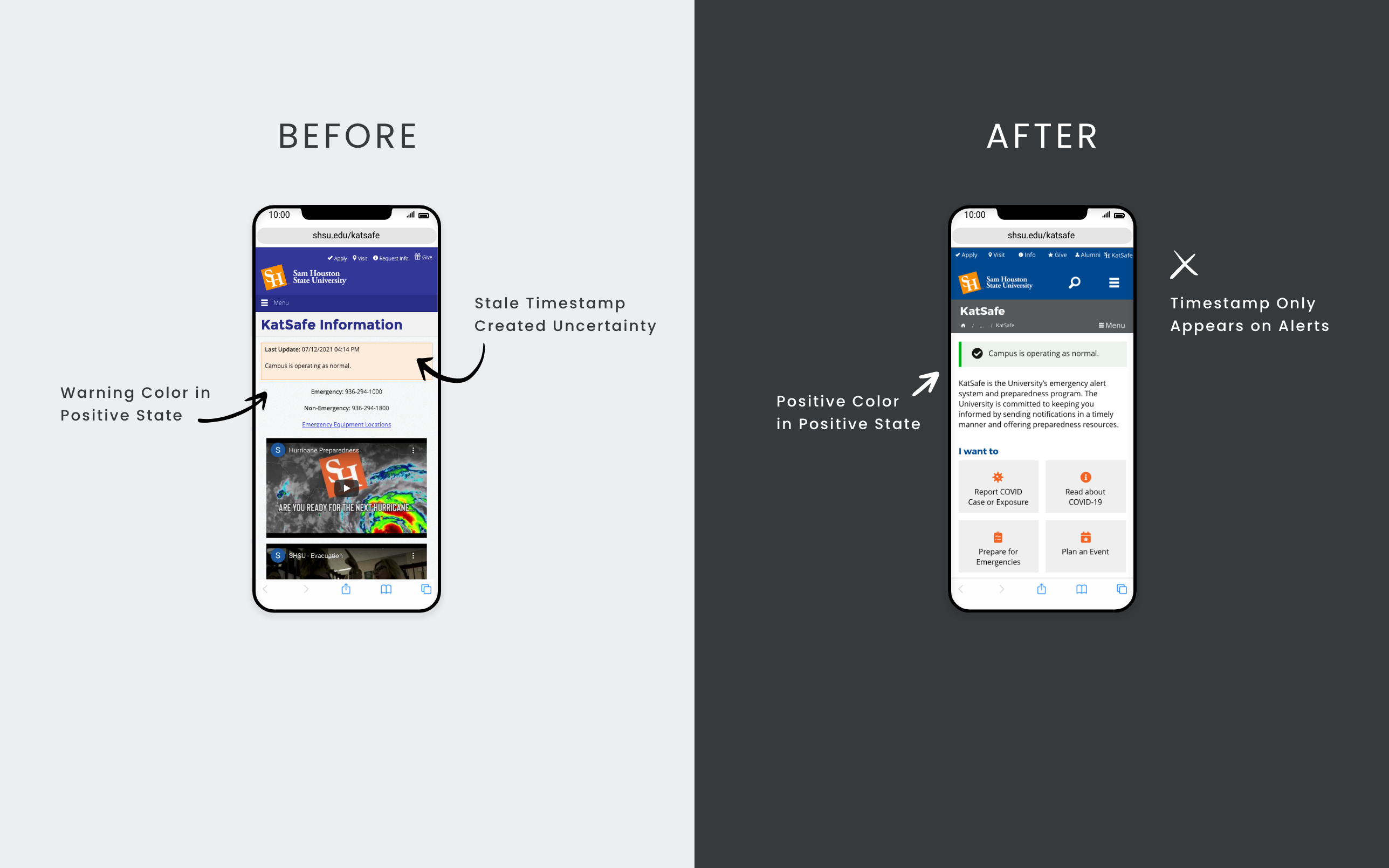
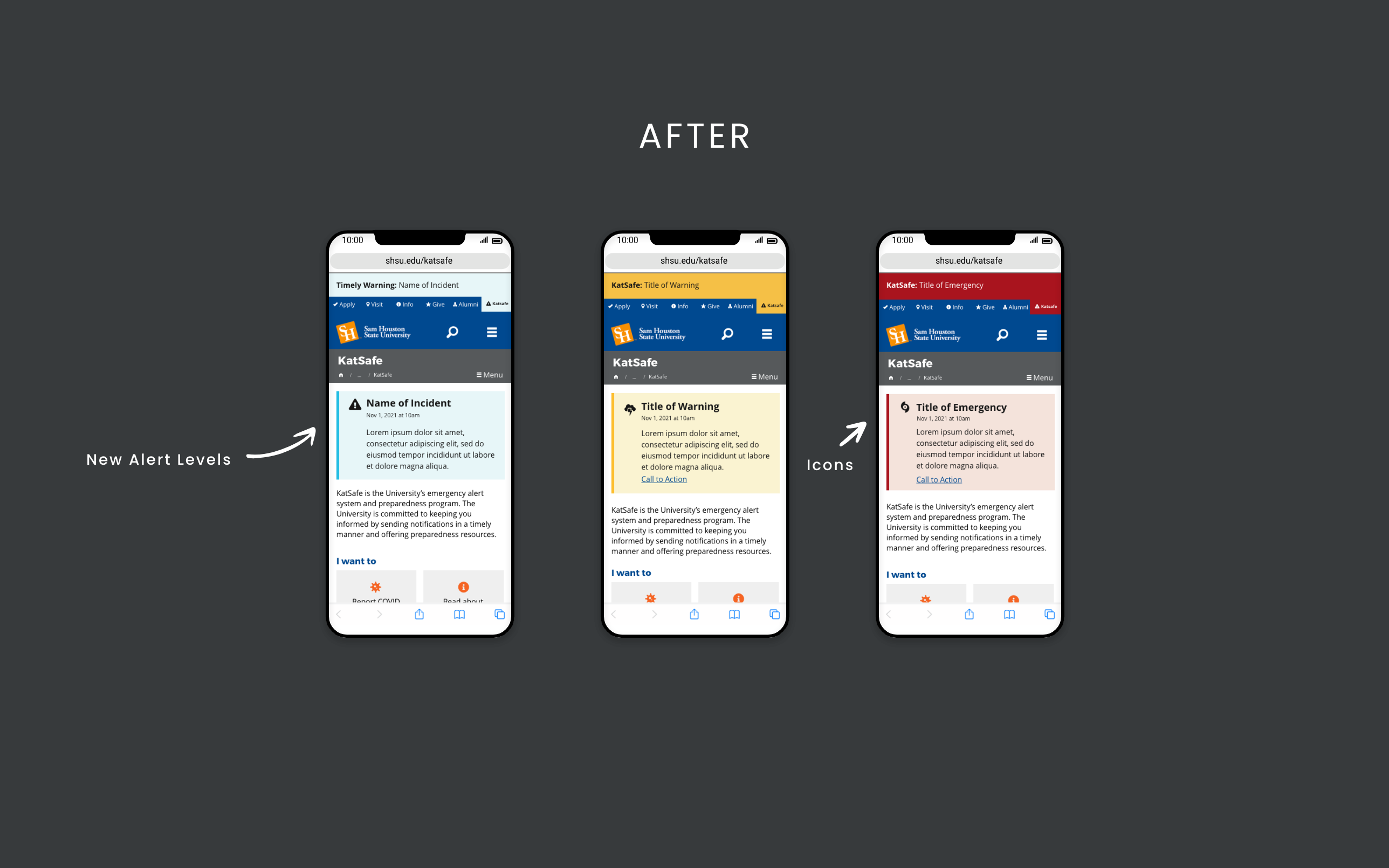
The old design showed one orange box on the program page even when the university was not experiencing or anticipating safety concerns. During an event, a red banner was manually added at the top of every page, regardless of severity. Frequent precautionary messages and timely warnings led experienced users to ignore notifications, while new users sometimes overreacted to warnings.
To address this, I used the U.S. Web Design System (USWDS) to design distinct alert levels and worked with the project team to define each level.
- Normal
- No emergency, precaution, or crime to report.
- Timely Warning
- A reportable Clery Act crime occurred on or near campus. The campus community should take preventative measures to protect themselves.
- Warning
- Dangerous conditions are possible or already occurring in the campus area and may impact the university’s regular operations. The campus community should take precautionary actions.
- Emergency
- Dangerous conditions are expected or already occurring, limiting the university’s ability to operate. The community and/or affected individuals should take immediate action.
Alert Types
To help users respond quickly and categorize critical events for reporting, I created an alert type in addition to the alert level. The type determines the icon displayed on the program page.
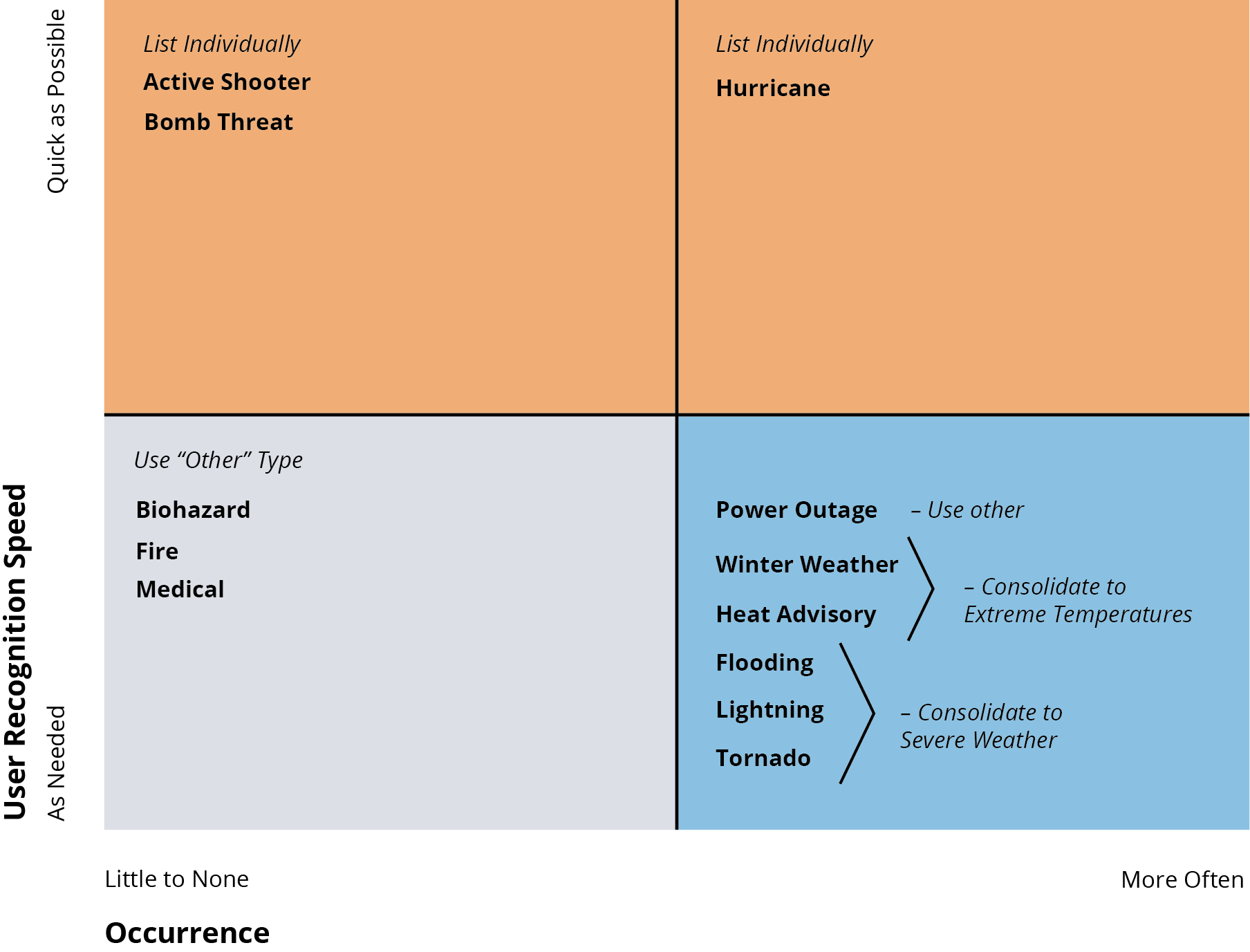
In the initial proposal, I selected Font Awesome icons for each alert type, often stacking icons for accuracy. This resulted in 10 types. After hearing concerns about a lengthy and confusing selection process for publishers, I developed a matrix to reduce the selection to six. This reduced the number of publisher decisions and cleared up overlap between winter weather and severe weather.
The tradeoff reduced specificity for power outages and individual weather conditions. During discussion, fire was moved to a lower recognition priority because web alerts typically report it afterward; text, phone, and ground support provide the immediate response.
Final Alert Types
 Active Shooter
 Bomb Threat
 Extreme Temperature
 Hurricane
 Severe Weather
 Other
Other
Types Revised or Consolidated
 Heat Advisory
 Power Outage
 Tornado
 Severe Weather
 Winter Weather
Key Takeaways
- Improve clarity through alert levels, icons, and separate notices.
- Keep information fresh with automatic expiration and removal of the last-updated date during the normal state.
- Reduce operational risk with automatic record retention.
- Enable quicker publishing through structured form entry and automatic banner publication.